Citrix VDI Desktop: Guide to Virtual Desktop Delivery in Modern Enterprises
What Is Citrix VDI Desktop?
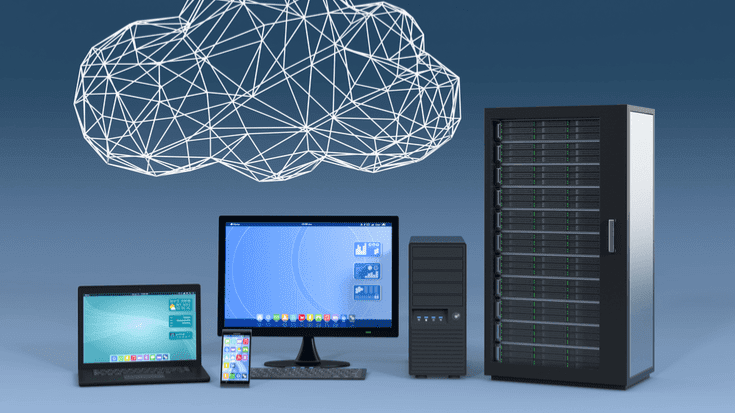
Citrix VDI Desktop is one of the most advanced and widely adopted solutions for virtual desktop infrastructure (VDI) in the enterprise world. It allows organizations to deliver secure, high-performance virtual desktops and applications to users anywhere, on any device, and at any time. Instead of running applications or desktops locally on a physical laptop or PC, users access a centrally hosted virtual environment via the Citrix platform.
This approach has transformed the modern workplace by enabling mobility, enhancing cybersecurity, reducing hardware costs, and simplifying IT operations. As businesses increasingly shift toward hybrid work models, the demand for reliable VDI solutions like Citrix VDI Desktop continues to rise.
In this article, we provide a detailed, academic-style explanation of how Citrix VDI Desktop works, why enterprises choose it, its core components, architecture, use cases, and best practices.
Citrix VDI Desktop
How Citrix VDI Desktop Works: The Core Concept
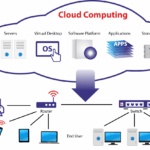
To understand the role of Citrix VDI Desktop, it is essential to know the basic principle of VDI. In a traditional computing environment, each user relies on a physical device where applications and data are stored locally. With VDI, however, desktops are hosted in a datacenter or cloud environment.
Citrix VDI Desktop works by:
Creating virtual desktops on centralized servers.
Assigning each user a personal or non-persistent virtual machine.
Delivering desktops securely using Citrix HDX technology, which optimizes performance even on slow networks.
Managing user sessions through Citrix Delivery Controllers.
Enabling access from any endpoint, whether Windows, macOS, Linux, iOS, Android, or a thin client.
This architecture allows all computing tasks—processing, storage, security, and updates—to be handled centrally, making IT management more efficient and secure.
Citrix VDI Desktop
Key Components of Citrix VDI Desktop
Citrix’s VDI solution integrates several components that work together to deliver virtual desktops seamlessly. Below are the most important elements:
1. Citrix Virtual Apps and Desktops (CVAD)
This is the core platform responsible for delivering full desktops or individual apps to end users. It supports both persistent and non-persistent desktop experiences.
2. Citrix Hypervisor or Third-Party Hypervisors
Citrix VDI Desktop supports multiple hypervisors, including:
Citrix Hypervisor (formerly XenServer)
VMware ESXi
Microsoft Hyper-V
Nutanix AHV
These hypervisors create and manage the virtual machines used as desktops.
3. Citrix StoreFront
StoreFront acts as the portal where users access their assigned apps and desktops. It authenticates and organizes all available resources.
4. Citrix Delivery Controller
The Delivery Controller is the backbone of the system. It:
Authenticates users
Allocates desktops
Manages the connection between the user and the virtual machine
Monitors sessions and workload distribution
5. Citrix Gateway (optional but recommended)
This secure access gateway enables remote access, providing encrypted connections and multi-factor authentication.
6. Citrix HDX Protocol
HDX (High-Definition Experience) ensures smooth performance across any network condition by optimizing graphics, audio, input, and bandwidth usage.
7. Machine Creation Services (MCS) / Provisioning Services (PVS)
These two provisioning models automate the creation and management of large fleets of virtual desktops.
Citrix VDI Desktop
Citrix VDI Desktop Architecture Overview
A typical Citrix VDI Desktop deployment includes:
Control Layer: Delivery Controllers, StoreFront, Gateway
Resource Layer: Hypervisors, virtual machines
Access Layer: User devices and Citrix Workspace app
Management Layer: Tools for monitoring, automation, and policy control
This layered architecture enhances scalability and enables enterprises to manage thousands of users with minimal overhead.
Benefits of Citrix VDI Desktop
1. Enhanced Security
Citrix VDI Desktop centralizes sensitive data inside secure datacenters or cloud platforms, eliminating risks associated with data stored locally on devices.
Security advantages:
Zero-trust architecture
Multi-factor authentication
Data never leaves the server
Strong encryption
Granular access policies
2. Improved Flexibility and Mobility
Users can access their desktop environments from home, the office, or the field using any device. This flexibility is essential for hybrid workforces, global teams, and remote employees.
3. Simplified IT Management
Instead of managing hundreds of physical devices, IT teams manage desktops from a single console. Tasks like patching, updating, and troubleshooting become far easier.
4. Cost Efficiency
Organizations reduce hardware spending by using thin clients and prolonging device life cycles. Citrix also supports multi-session capability, optimizing resource consumption.
5. High Performance
Citrix HDX technology provides excellent performance even for graphics-intensive workloads, including CAD, analytics, and engineering applications.
Use Cases for Citrix VDI Desktop
1. Healthcare
Hospitals use VDI to enable doctors and nurses to access patient records securely from different departments while complying with privacy regulations.
2. Banking and Financial Services
Citrix VDI Desktop supports strict compliance standards such as PCI DSS, ensuring secure access to financial applications.
3. Education
Universities deploy VDI to provide students with lab environments and academic software access from anywhere.
4. Call Centers
Citrix enables fast onboarding of new agents, secure remote work, and centralized management.
5. Software Development Companies
Developers can work in isolated, pre-configured environments without installing tools locally.
Citrix VDI Desktop vs Other VDI Solutions
Although Citrix is often compared with VMware Horizon and Microsoft Azure Virtual Desktop, it remains the leader in advanced performance and user experience optimization.
Citrix advantages:
Superior HDX remote experience
Stronger support for high-latency networks
More granular policy controls
Broader device compatibility
Challenges and Considerations
Although Citrix VDI Desktop offers substantial benefits, organizations should consider:
Initial setup complexity
Licensing costs depending on the environment size
The need for skilled administrators
Network dependency for remote users
Proper planning ensures a stable and scalable deployment.
Citrix VDI Desktop
Best Practices for Implementing Citrix VDI Desktop
1. Right-size your hardware
Ensure that storage, CPU, and RAM resources match workload requirements.
2. Use Citrix Cloud when possible
Citrix Cloud simplifies management by offloading control-plane components to the cloud.
3. Optimize images
Use MCS or PVS to streamline desktop provisioning and updates.
4. Apply HDX policies
Optimize performance based on user types—standard users, designers, developers, etc.
5. Monitor continuously
Use Citrix Director and Citrix Analytics to track performance, security risks, and user experience.
Conclusion
Citrix VDI Desktop remains one of the most reliable and feature-rich solutions for virtual desktop delivery across desktops, mobile devices, and thin clients. Its combination of centralized management, robust security, outstanding performance, and flexibility makes it ideal for modern enterprises adopting hybrid work and cloud-first strategies.
Understanding how Citrix VDI Desktop works, its architecture, and its advantages enables IT leaders to design efficient digital workspaces that empower employees while maintaining high-level governance and control.