SaaS IaaS PaaS examples
Cloud computing has reshaped the way technology is consumed, developed, and delivered. In the past, companies had to invest heavily in physical servers, software licenses, and IT maintenance. Today, cloud service models such as SaaS, IaaS, and PaaS allow organizations to access powerful computing capabilities through the internet with minimal upfront costs.
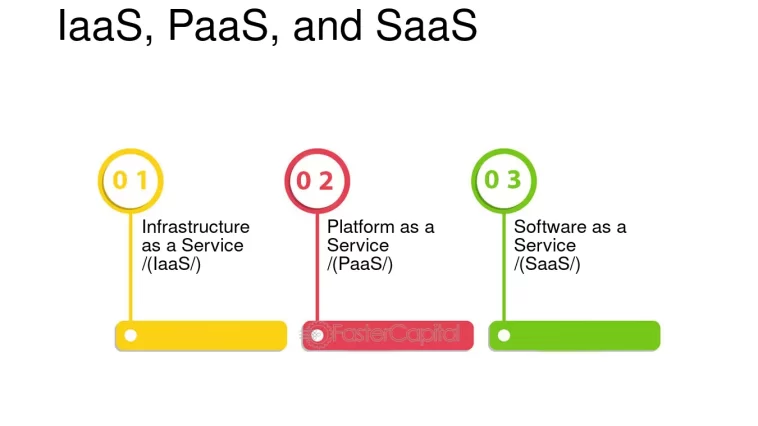
While these three models are often mentioned together, each one serves a distinct purpose and targets a different audience. Understanding how SaaS, IaaS, and PaaS work—along with real-life examples—helps businesses, developers, and individuals choose the most suitable cloud solution.
This article offers a fresh, original explanation of the three main cloud service models, focusing on how they are used in practice, who benefits from them, and why they matter in modern IT environments.
SaaS IaaS PaaS examples
What Are Cloud Computing Service Models?
Cloud computing service models define how much control the user has and what the cloud provider manages. Each model serves different technical and business needs.
Why Cloud Service Models Matter
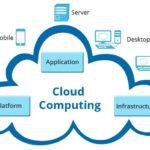
Cloud computing is not a single service but a layered ecosystem. Each layer abstracts complexity from the one below it. The more abstraction provided, the less technical responsibility the user has.
IaaS removes the need for physical hardware
PaaS removes the need for system and platform management
SaaS removes the need for software installation and maintenance
These models allow organizations to innovate faster, scale efficiently, and reduce operational complexity.
SaaS IaaS PaaS examples
Infrastructure as a Service (IaaS)
Definition of IaaS
Infrastructure as a Service (IaaS) is the foundational layer of cloud computing. It provides virtualized computing resources such as servers, storage, and networking over the internet. Instead of purchasing physical infrastructure, users rent these resources on demand.
IaaS gives users the highest level of control among cloud service models.
What the Provider vs User Manages
Cloud Provider Manages:
Physical data centers
Servers and hardware
Power, cooling, and networking
User Manages:
Operating systems
Applications
Databases
Security configurations
Data
Examples of IaaS Platforms
Amazon EC2 (AWS) – Flexible virtual servers
Microsoft Azure Virtual Machines
Google Compute Engine
Oracle Cloud Infrastructure
IBM Cloud Virtual Servers
Practical IaaS Example
A software company develops a custom enterprise application that requires specific operating system configurations and security rules. Using Azure Virtual Machines, the company installs its preferred OS, configures firewalls, and deploys the application exactly as needed.
Who Uses IaaS?
System administrators
IT departments
Enterprises with custom infrastructure needs
Companies migrating from on-premise data centers
SaaS IaaS PaaS examples
Platform as a Service (PaaS)
Definition of PaaS
Platform as a Service (PaaS) sits above IaaS and focuses on application development. It provides developers with a ready-to-use environment that includes infrastructure, operating systems, runtime environments, and development tools.
PaaS eliminates the need to manage servers and system updates.
Responsibilities Breakdown
Cloud Provider Manages:
Infrastructure
Operating systems
Middleware
Runtime environments
Scaling and load balancing
User Manages:
Application code
Data
Application configurations
Examples of PaaS Services
Google App Engine
Microsoft Azure App Service
AWS Elastic Beanstalk
Heroku
Red Hat OpenShift
SaaS IaaS PaaS examples
Practical PaaS Example
A development team builds a REST API for a fintech application. Using AWS Elastic Beanstalk, developers deploy their code without worrying about servers, OS updates, or scalability. The platform automatically scales the application during peak usage.
Who Uses PaaS?
Software developers
DevOps teams
Startups building MVPs
Organizations practicing agile development
SaaS IaaS PaaS examples
Software as a Service (SaaS)
Definition of SaaS
Software as a Service (SaaS) is the most user-friendly cloud service model. It delivers complete software applications over the internet, accessible via a browser or mobile app. Users do not install or maintain software locally.
SaaS provides the least technical responsibility for users.
Management Responsibilities
Cloud Provider Manages:
Infrastructure
Platform
Software
Updates and patches
Security and availability
User Manages:
Account settings
User data
Usage preferences
Examples of SaaS Applications
Google Workspace – Email and collaboration
Microsoft 365
Salesforce
Shopify
Trello
Notion
QuickBooks Online
SaaS IaaS PaaS examples
Practical SaaS Example
A small business uses Shopify to run an online store. The platform handles hosting, security, payments, and updates, allowing the business owner to focus on products and customers instead of technology.
Who Uses SaaS?
End users
Businesses of all sizes
Non-technical users
Remote teams
SaaS IaaS PaaS examples
SaaS vs IaaS vs PaaS: Key Differences
| Feature | IaaS | PaaS | SaaS |
|---|---|---|---|
| Level of Control | High | Medium | Low |
| User Manages | OS, apps, data | Apps, data | Nothing |
| Provider Manages | Hardware | Hardware + OS | Everything |
| Target Users | IT teams | Developers | End users |
Comparing SaaS, IaaS, and PaaS from a Business Perspective
| Aspect | IaaS | PaaS | SaaS |
|---|---|---|---|
| Technical Skill Required | High | Medium | Low |
| Customization Level | Very High | Medium | Limited |
| Time to Deploy | Longer | Faster | Immediate |
| Maintenance Effort | High | Low | None |
| Ideal For | Enterprises | Developers | End Users |
Choosing the Right Cloud Service Model
The choice between SaaS, IaaS, and PaaS depends on business needs:
Choose IaaS if you need full control over infrastructure.
Choose PaaS if you want to focus on development without managing servers.
Choose SaaS if you want ready-to-use applications with minimal effort.
Many organizations use a combination of all three models to meet different requirements.
SaaS IaaS PaaS examples
Using All Three Models Together
Many organizations do not rely on a single cloud service model. Instead, they combine SaaS, PaaS, and IaaS based on different needs.
Example of Combined Usage
IaaS for hosting core backend systems
PaaS for developing web and mobile applications
SaaS for email, CRM, and collaboration tools
This hybrid approach maximizes flexibility and efficiency.
SaaS IaaS PaaS examples
Benefits of SaaS, IaaS, and PaaS
1. Cost Savings
No upfront investment in hardware or software.
2. Scalability
Resources scale based on demand.
3. Accessibility
Services are accessible from anywhere.
4. Faster Deployment
Applications can be launched quickly.
5. Reduced Maintenance
Cloud providers handle updates and security.
Potential Challenges
Data security and compliance
Dependence on internet connectivity
Vendor lock-in
Limited customization in SaaS
Understanding these challenges helps organizations plan cloud adoption more effectively.
SaaS IaaS PaaS examples
Future Trends in Cloud Service Models
Cloud service models continue to evolve with:
Serverless computing
AI-powered SaaS platforms
Low-code and no-code PaaS solutions
Multi-cloud and hybrid cloud strategies
These trends are making cloud computing more accessible and powerful than ever.
SaaS IaaS PaaS examples
Conclusion
SaaS, IaaS, and PaaS represent the three core cloud computing service models, each serving distinct needs and users. From fully managed software applications to flexible infrastructure and development platforms, these models enable innovation, scalability, and efficiency.
By understanding real-world SaaS IaaS PaaS examples, businesses and individuals can make better decisions when adopting cloud technologies. As cloud computing continues to expand, mastering these service models is essential for success in the digital era.