Virtual Desktop Infrastructure (VDI): The Future of Secure and Flexible Computing
In today’s fast-paced digital world, organizations seek flexible, secure, and efficient ways to provide employees with access to computing resources. As remote work, hybrid teams, and global collaboration continue to grow, traditional desktop setups are proving increasingly difficult to manage. This is where Virtual Desktop Infrastructure (VDI) emerges as a transformative solution.
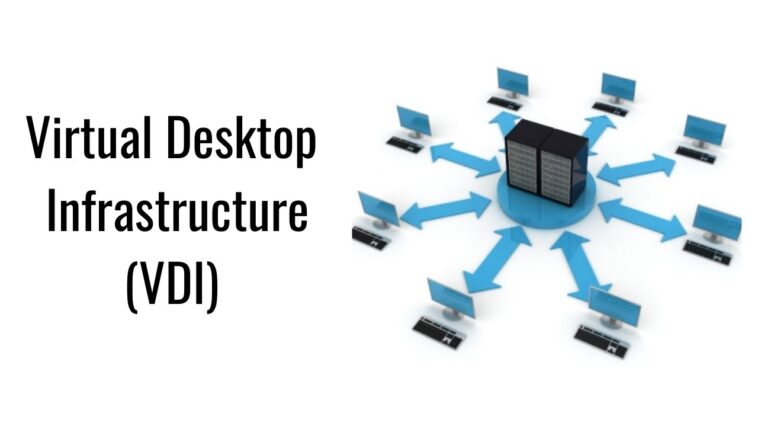
Virtual Desktop Infrastructure (VDI) allows users to access a virtualized desktop environment hosted on a central server rather than on individual local machines. It simplifies IT management, enhances data security, and provides users with the flexibility to work from anywhere, on any device.
This article explores what VDI is, how it works, its core components, advantages, challenges, and best practices for implementation—offering a comprehensive guide for IT professionals and decision-makers.
Virtual Desktop Infrastructure
What Is Virtual Desktop Infrastructure (VDI)?
Virtual Desktop Infrastructure (VDI) is a technology that delivers desktop environments to users virtually through centralized servers. Instead of running operating systems and applications on physical computers, they run inside virtual machines (VMs) hosted in a data center or cloud environment.
Users connect to these virtual desktops using thin clients, personal computers, or mobile devices through a remote display protocol. Every user has a dedicated or shared virtual machine, providing a consistent and secure desktop experience.
In simpler terms, VDI enables you to log into your desktop from anywhere, as long as you have an internet connection and authentication credentials.
Virtual Desktop Infrastructure
How VDI Works
The core concept of VDI revolves around centralization. All desktops are created and managed on centralized servers. The process typically involves the following steps:
User Login:
A user connects to the VDI environment through a client or web portal.Authentication:
The connection broker validates the user’s credentials and assigns a virtual desktop.Session Establishment:
The desktop image (operating system, applications, and settings) loads in a virtual machine on the server.Remote Display Protocol:
The user interacts with the desktop through a display protocol (such as Microsoft RDP, VMware Blast Extreme, or Citrix HDX) that transmits only screen updates, not actual data files.
This design ensures that corporate data remains stored within the data center, minimizing the risk of data leakage or device theft.
Virtual Desktop Infrastructure
Core Components of a VDI Environment
A robust Virtual Desktop Infrastructure consists of several integrated components:
1. Hypervisor
The hypervisor is responsible for creating and managing virtual machines (VMs). Each VM runs an isolated desktop environment with its own OS and applications.
Common hypervisors include VMware ESXi, Microsoft Hyper-V, and Citrix Hypervisor.
2. Connection Broker
This component authenticates users, assigns virtual desktops, and manages session states. It acts as the central controller ensuring users are connected to the right desktop instance.
3. Virtual Desktop Images
Administrators create golden images—standardized master copies of desktops with pre-installed software and configurations. This ensures consistency and simplifies updates or patches.
4. Desktop Pools
Desktops are grouped into pools based on user needs. For example, one pool may serve developers with specific tools, while another serves call-center agents with limited permissions.
5. Remote Display Protocol
Protocols like PCoIP, RDP, and HDX handle the delivery of the virtual desktop’s display, mouse, and keyboard inputs over the network.
6. Storage and Networking
Fast and reliable storage (often SSD or SAN) ensures quick boot and load times. A robust network infrastructure is also crucial for minimizing latency and maintaining a smooth user experience.
Virtual Desktop Infrastructure
Types of VDI Deployment
VDI can be deployed in several ways depending on the organization’s needs and resources.
1. Persistent VDI
Each user has their own dedicated desktop that saves personal settings and data between sessions.
Pros: Personalized experience, stable configuration.
Cons: Higher storage requirements and maintenance complexity.
2. Non-Persistent VDI
Users access generic desktops that reset after each session.
Pros: Easy maintenance, lower storage cost, ideal for task-based roles.
Cons: No personalized settings or saved data.
3. Cloud-Based VDI (DaaS)
Desktop as a Service (DaaS) moves the VDI infrastructure to the cloud. Providers like Microsoft Azure Virtual Desktop, Amazon WorkSpaces, and VMware Horizon Cloud host and manage everything.
Pros: Scalability, reduced hardware investment, global accessibility.
Cons: Ongoing subscription costs and dependence on internet connectivity.
Virtual Desktop Infrastructure
Advantages of Virtual Desktop Infrastructure
Implementing VDI offers numerous benefits for both IT administrators and end users:
1. Enhanced Security
All data resides in the data center, not on local devices. Even if a laptop is lost, corporate data remains secure. Administrators can enforce strict access controls, multi-factor authentication, and encryption.
2. Centralized Management
IT teams can manage software updates, patches, and security configurations centrally, reducing maintenance efforts and downtime.
3. Cost Efficiency
While initial setup costs can be significant, long-term savings arise from lower hardware expenses, reduced energy consumption, and streamlined support.
4. Flexibility and Remote Access
VDI enables employees to work from anywhere using any device. This is particularly valuable for organizations with hybrid or global teams.
5. Disaster Recovery and Business Continuity
Because data and desktops reside in a central location, VDI simplifies disaster recovery. Backups and failover systems can quickly restore access after outages.
6. Scalability
Organizations can easily add or remove virtual desktops based on workforce size and project demands.
Virtual Desktop Infrastructure
Challenges of Implementing VDI
Despite its advantages, VDI comes with challenges that organizations must address carefully:
High Initial Costs:
Setting up servers, storage, and licenses can require significant upfront investment.Network Dependency:
VDI performance heavily depends on bandwidth and latency. Poor connectivity can lead to lag or disconnections.Complexity in Setup and Management:
Implementing VDI requires skilled professionals familiar with virtualization, networking, and security.User Experience:
If not properly configured, users may face slow desktop performance, especially with multimedia or graphics-intensive applications.Licensing Management:
Ensuring compliance with software licenses across multiple virtual desktops can be challenging.
Virtual Desktop Infrastructure
Best Practices for Successful VDI Deployment
Assess Business Needs:
Clearly define use cases—such as remote access, data security, or resource optimization—before implementation.Choose the Right Infrastructure:
Select reliable servers, SSD storage, and networking components that support your organization’s scale and performance needs.Pilot Testing:
Conduct a small-scale test to evaluate performance, compatibility, and user satisfaction before a full rollout.Optimize for Performance:
Use resource allocation tools and load balancing to prevent server bottlenecks.Implement Strong Security Policies:
Use encryption, identity management, and continuous monitoring to protect against cyber threats.Leverage Automation:
Automate desktop provisioning, updates, and backups to simplify management and reduce errors.Consider Cloud or Hybrid Models:
Cloud-based VDI (DaaS) offers scalability and flexibility, while hybrid models balance on-premises control with cloud convenience.
Use Cases of Virtual Desktop Infrastructure
Education: Enables students and staff to access school software remotely.
Healthcare: Provides secure access to patient data while complying with privacy regulations.
Finance: Supports traders and analysts with centralized, secure, high-performance desktops.
Software Development: Offers isolated testing environments for developers.
Customer Support Centers: Simplifies management of hundreds of identical desktops for agents.
Future of Virtual Desktop Infrastructure
The future of VDI is increasingly cloud-driven, intelligent, and integrated with artificial intelligence (AI) for predictive performance optimization. The rise of Edge Computing and 5G connectivity will further enhance responsiveness and user experience.
Moreover, as cybersecurity threats evolve, VDI will play a vital role in providing secure remote access within a Zero-Trust Architecture—where verification and encryption protect every user session.
Virtual Desktop Infrastructure
Conclusion
Virtual Desktop Infrastructure (VDI) represents a fundamental shift in how organizations manage desktops, applications, and data. By centralizing resources and delivering them virtually, VDI enhances security, improves management efficiency, and supports the growing demand for remote and hybrid work.
While challenges such as network dependency and initial costs exist, the long-term benefits—flexibility, scalability, and robust data protection—make VDI an indispensable technology for modern digital workplaces. For companies seeking to future-proof their IT environments, Virtual Desktop Infrastructure offers a secure, scalable, and forward-looking solution.