What Is SaaS Software? Software as a Service
In today’s digital world, businesses and individuals rely heavily on software for communication, productivity, security, and operations. Traditionally, software had to be installed on local computers or company servers, which required maintenance, updates, and IT expertise. However, the rise of cloud computing introduced a new and more efficient model known as Software as a Service (SaaS).
SaaS has become one of the most important cloud computing models, powering many of the tools we use daily. From email platforms and video conferencing apps to accounting systems and customer management tools, SaaS software is everywhere.
This article provides a detailed explanation of what SaaS software is, how it works, its key features, benefits, challenges, real-world examples, and why it is shaping the future of technology.
What Is SaaS Software
What Is SaaS Software ?
SaaS software (Software as a Service) is a cloud-based software delivery model where applications are hosted by a service provider and made available to users over the internet. Instead of purchasing and installing software on a device, users access it through a web browser or mobile app.
In simple terms:
SaaS software allows you to use applications online without managing servers, updates, or technical infrastructure.
The SaaS provider is responsible for:
Hosting the application
Maintaining servers
Performing updates and security patches
Managing data storage and backups
Users simply log in and start using the software.
What Is SaaS Software
How SaaS Software Works
SaaS applications run on cloud infrastructure managed by a provider such as Amazon Web Services (AWS), Microsoft Azure, or Google Cloud. These applications use a multi-tenant architecture, meaning multiple customers share the same system securely.
Step-by-Step Process
The SaaS provider develops and hosts the software in the cloud.
Users subscribe to the service, usually through monthly or yearly plans.
Customers access the software via a web browser or app.
The provider handles maintenance, updates, and security.
Data is stored in the cloud and can be accessed from anywhere.
This model eliminates the need for on-premise installations and complex IT setups.
What Is SaaS Software
Key Characteristics of SaaS Software
Understanding SaaS software requires recognizing its defining features.
1. Cloud-Based Access
Users can access SaaS applications from anywhere with an internet connection.
2. Subscription Pricing
Instead of a one-time purchase, SaaS typically uses a recurring subscription model.
3. Automatic Updates
All updates and new features are rolled out by the provider automatically.
4. Scalability
Users can easily upgrade or downgrade their subscription based on needs.
5. Multi-Tenant Environment
Multiple customers share the same infrastructure while keeping their data isolated and secure.
6. Device Compatibility
SaaS applications usually work across desktops, tablets, and smartphones.
What Is SaaS Software
Benefits of SaaS Software
SaaS software offers significant advantages for both businesses and individual users.
Cost Savings
No need to buy expensive hardware or hire large IT teams. Costs are predictable through subscription pricing.
Easy Deployment
Users can start using SaaS software immediately without complex installation.
Accessibility
Teams can work from anywhere, supporting remote work and global collaboration.
Reduced IT Workload
The provider handles server management, maintenance, and security.
Automatic Backups
Most SaaS platforms include regular data backups and disaster recovery.
Continuous Innovation
Providers frequently release new features without requiring users to install updates.
What Is SaaS Software
Common Types of SaaS Software
SaaS applications are available for nearly every industry and business function.
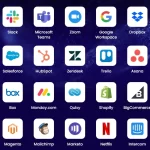
Communication SaaS
Gmail
Microsoft Outlook Online
Zoom
Slack
Collaboration SaaS
Google Docs
Microsoft Teams
Notion
Customer Relationship Management (CRM)
Salesforce
HubSpot
Zoho CRM
Accounting and Finance
QuickBooks Online
Xero
FreshBooks
Project Management
Asana
Trello
Monday.com
E-Commerce
Shopify
BigCommerce
Marketing Automation
Mailchimp
Canva
Marketo
Human Resources
Workday
BambooHR
These examples show how SaaS software supports nearly every part of modern business operations.
SaaS vs Traditional Software
| Feature | SaaS Software | Traditional Software |
|---|---|---|
| Installation | Not required | Required on each device |
| Updates | Automatic | Manual |
| Cost | Subscription | One-time license + maintenance |
| Accessibility | Online from anywhere | Usually limited to installed devices |
| Maintenance | Provider-managed | Customer-managed |
SaaS reduces complexity and increases flexibility compared to traditional models.
What Is SaaS Software
Security in SaaS Software
Security is a major consideration in SaaS environments. Reputable SaaS providers invest heavily in protecting user data.
Common Security Features
Data encryption in transit and at rest
Multi-factor authentication (MFA)
Role-based access controls
Continuous monitoring and threat detection
Compliance with standards such as GDPR, ISO, and SOC 2
Even though providers manage security, users should also follow best practices like using strong passwords and enabling MFA.
Challenges of SaaS Software
Despite its benefits, SaaS software has some challenges.
Internet Dependency
Without internet access, SaaS applications may not function properly.
Data Privacy Concerns
Some organizations worry about storing sensitive data in the cloud.
Limited Customization
Compared to on-premise software, customization options can be limited.
Long-Term Costs
Subscription fees can add up over time.
Understanding these limitations helps businesses choose the right solutions.
What Is SaaS Software
Who Uses SaaS Software?
SaaS software is used by:
Small businesses needing affordable tools
Large enterprises managing global teams
Freelancers and remote workers
Schools and universities
Government organizations
Its flexibility makes it suitable for organizations of all sizes.
What Is SaaS Software
The Future of SaaS Software
SaaS continues to evolve with new technologies and trends.
Artificial Intelligence Integration
Many SaaS tools now include AI features like automation, predictive analytics, and smart assistants.
Industry-Specific SaaS
Vertical SaaS solutions are designed for industries such as healthcare, finance, and education.
Mobile-First SaaS
More applications are optimized for smartphones and tablets.
Increased Focus on Security
Advanced encryption and zero-trust security models are becoming standard.
SaaS software is expected to dominate the software market for years to come.
What Is SaaS Software
Conclusion
So, what is SaaS software? It is a cloud-based way of delivering applications over the internet, allowing users to access powerful tools without managing hardware, installations, or updates.
SaaS software offers cost savings, flexibility, scalability, and accessibility that traditional software cannot match. From communication and collaboration to accounting and customer management, SaaS solutions have become essential in modern life.
As technology advances and cloud adoption grows, SaaS will continue to shape how businesses operate and how people work, learn, and connect around the world.