Cloud Server Example: Practical Use Cases for Individuals and Businesses
Cloud Server Example
Cloud computing has transformed the way IT resources are deployed, accessed, and managed. Central to this transformation is the cloud server, a virtual server hosted in the cloud that provides flexibility, scalability, and security.
To truly understand cloud servers, examining a cloud server example for different types of users—individuals, small businesses, medium enterprises, and large corporations—can illustrate how versatile and impactful cloud infrastructure can be.
Cloud Server Example
What Is a Cloud Server?
A cloud server is a virtualized server running in a cloud computing environment instead of on a physical, on-premises machine. Cloud servers can host websites, applications, databases, or entire IT systems. They allow dynamic adjustment of resources like CPU, RAM, and storage to meet demand, offering high performance, security, and remote accessibility.
Key characteristics of cloud servers include:
Scalability
High Availability
Cost-Effectiveness
Remote Access
Centralized Management
Cloud Server Example
Cloud Server Examples by Use Case
1. Personal Use Cloud Server Example
Individuals may not need a full enterprise setup but can benefit from cloud servers for personal projects.
Example: Hosting a personal website or blog.
Platform: DigitalOcean, AWS Lightsail, or Linode.
Implementation:
Deploy a VPS with 1–2 vCPUs and 2–4 GB RAM.
Install WordPress or a static site generator.
Use cloud storage (e.g., AWS S3 or Google Drive) for media files.
Benefit: Cost-effective hosting, remote management, and easy backups.
Other personal uses include hosting game servers, learning development skills, or experimenting with cloud-based applications.
2. Small Business Cloud Server Example
Small businesses need affordable, scalable, and secure infrastructure without maintaining on-premises hardware.
Example: Hosting an e-commerce platform.
Platform: AWS EC2, Google Cloud Compute Engine, or Azure Virtual Machines.
Implementation:
Launch a cloud server with Linux or Windows OS.
Install e-commerce software (WooCommerce, Magento, Shopify backend).
Configure backups and security groups.
Benefit: Scalability for traffic spikes, secure customer data, simplified IT management.
Another example is remote workforce support using cloud-based virtual desktops (VDI) like Azure Virtual Desktop or Citrix Cloud.
3. Medium-Sized Business Cloud Server Example
Medium enterprises require more complex infrastructures, often combining multiple services.
Example: Multi-department ERP hosting.
Platform: AWS, Azure, or Google Cloud Platform.
Implementation:
Use a private or hybrid cloud server setup.
Deploy multiple virtual machines for different departments: HR, Accounting, Inventory, Sales.
Integrate cloud storage for shared documents and databases.
Benefit: Centralized management, secure inter-departmental access, flexibility for expansion.
Medium businesses may also host analytics platforms, customer relationship management (CRM) systems, and collaboration tools on cloud servers.
4. Large Enterprise Cloud Server Example
Large corporations need high-performance servers, compliance certifications, and global scalability.
Example: Global e-commerce or financial services platform.
Platform: AWS Enterprise EC2, Microsoft Azure Enterprise Cloud, or Google Cloud Enterprise.
Implementation:
Deploy multiple cloud servers across regions for redundancy.
Use load balancers and auto-scaling groups to handle massive traffic.
Implement robust security, compliance monitoring, and disaster recovery solutions.
Benefit: Enterprise-grade reliability, security, global accessibility, and near-zero downtime.
Other large-scale uses include cloud-based AI and machine learning workloads, large databases, or video streaming platforms.
Cloud Server Example
Cloud Server Example in Small Business
Example 1: E-commerce Website Hosting
A small online retail business wants a scalable platform for its store.
Solution: Deploy a cloud server using DigitalOcean Droplet or AWS EC2.
Implementation:
Install a Linux-based OS.
Deploy e-commerce software such as WooCommerce or Magento.
Connect the server to cloud storage for product images and backups.
Benefit: During peak shopping seasons, resources (CPU, RAM, storage) can be scaled up instantly without downtime.
Example 2: Remote Work Environment
A consulting firm wants its employees to access corporate software remotely.
Solution: Use a Virtual Desktop Infrastructure (VDI) cloud server from providers like Microsoft Azure Virtual Desktop.
Implementation:
Each employee gets a virtual desktop hosted on the cloud server.
Access is secure via encrypted connections.
Centralized software updates reduce IT workload.
Benefit: Employees can work from home or on the road while ensuring secure access to corporate resources.
Example 3: Database Hosting
A startup requires a database server that can handle analytics and customer data.
Solution: Deploy a cloud-based database server on Google Cloud SQL or AWS RDS.
Implementation:
Configure automated backups.
Enable read replicas for improved performance.
Connect the database to the cloud application server.
Benefit: Data is stored securely, performance is scalable, and disaster recovery is simplified.
Benefits Across All Use Cases
Regardless of the scale, cloud servers offer common advantages:
Scalability: Adjust resources dynamically for personal projects or enterprise workloads.
Remote Access: Users can access their server environment from anywhere.
Cost Savings: Pay-as-you-go models reduce capital expenditure.
Security: Encryption, firewalls, and compliance standards protect sensitive data.
High Availability: Redundant cloud infrastructure minimizes downtime.
Centralized Management: Easier software updates and monitoring, reducing IT overhead.
Cloud Server Example
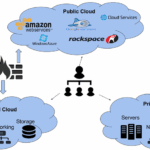
Types of Cloud Servers Illustrated Through Examples
Public Cloud Servers: Shared resources with high scalability (small businesses and individuals).
Private Cloud Servers: Dedicated resources and enhanced security (medium and large businesses).
Hybrid Cloud Servers: Combines private and public clouds (medium enterprises with regulatory needs).
Virtual Private Servers (VPS): Cost-effective isolated environments (personal projects, small business websites).
Cloud Server Example
Factors to Consider When Choosing a Cloud Server
Purpose: Web hosting, remote desktops, databases, AI workloads, or hybrid applications.
Performance Requirements: CPU, memory, storage, and network needs.
Security: Compliance, encryption, access control.
Scalability: Ability to grow resources with business or project expansion.
Cost: Evaluate pay-as-you-go vs fixed plans based on workload.
Support: Access to reliable technical support is essential, especially for medium and large businesses.
Cloud Server Example
Future Trends in Cloud Servers
Cloud server technology continues to evolve, creating new opportunities:
Serverless Computing: Simplifies management by removing server maintenance responsibilities.
Edge Computing: Reduces latency by processing data closer to users.
AI-Enhanced Cloud Servers: Optimizes resource allocation, security, and analytics.
Multi-Cloud Strategies: Using multiple cloud providers for redundancy, performance, and avoiding vendor lock-in.
These trends will impact individuals, small businesses, and enterprises alike, enabling smarter and more efficient cloud operations.
Cloud Server Example
Conclusion
A cloud server example varies significantly depending on the user: from personal projects and small business websites to multi-department enterprise systems and global-scale platforms.
Individuals benefit from VPS for learning, personal websites, or hobby projects.
Small businesses gain affordable, scalable, and secure cloud solutions for e-commerce or remote work.
Medium-sized businesses can manage ERP systems and analytics platforms on hybrid or private cloud servers.
Large enterprises leverage global cloud infrastructures for reliability, compliance, and performance-intensive applications.
By choosing the right cloud server, organizations and individuals can enjoy scalable, secure, and cost-effective computing resources tailored to their needs.
Cloud Server Example