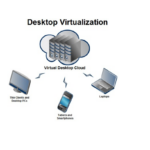
Desktop Virtualization Solutions: Architecture, Strategy, and Business Impact
Modern enterprises are under constant pressure to deliver secure, flexible, and cost-efficient digital work environments. Traditional desktop management — where operating systems, applications, and data reside on individual physical devices — has become increasingly difficult to scale, secure, and maintain. As workforces grow more mobile and cyber threats become more sophisticated, organizations are turning to desktop virtualization solutions to modernize end-user computing.
A desktop virtualization solution is not just a tool that hosts virtual desktops; it is a comprehensive framework that combines infrastructure, software, security, and management capabilities to deliver desktops as an on-demand service. These solutions are designed to support thousands of users, enable centralized control, and ensure high performance regardless of location or device.
Desktop Virtualization Solution
Defining a Desktop Virtualization Solution
A desktop virtualization solution provides a fully managed ecosystem for delivering desktop environments from centralized infrastructure — whether on-premises, in the cloud, or in a hybrid model. Instead of focusing solely on virtual machines, a complete solution includes provisioning systems, connection management, identity integration, monitoring tools, and security enforcement mechanisms.
This holistic approach allows IT teams to treat desktops as centrally governed digital workspaces rather than individual endpoints. Users receive consistent, policy-controlled environments that follow them across devices, while administrators gain visibility and control over performance, access, and compliance.
Desktop Virtualization Solution
Core Architectural Components
A robust desktop virtualization solution is built on multiple tightly integrated layers. At the infrastructure level, compute, storage, and networking resources form the foundation. Hypervisors enable multiple virtual desktops to run efficiently on shared hardware, maximizing resource utilization while maintaining isolation between users.
Above the hypervisor layer sits the virtual desktop management platform, which handles image creation, desktop assignment, lifecycle management, and policy enforcement. This layer automates tasks such as provisioning new desktops, applying updates, and decommissioning unused resources.
Connection brokers play a critical role by authenticating users and directing them to the appropriate desktop instance. These brokers ensure secure access, load balancing, and session persistence, creating a seamless user experience even as backend resources scale dynamically.
Supporting components such as profile management systems and application layering tools ensure that user preferences and applications can be delivered independently from the base operating system image. This modular design reduces complexity and speeds up updates.
Desktop Virtualization Solution
Deployment Models: On-Premises, Cloud, and Hybrid
Desktop virtualization solutions can be deployed in several ways, each with strategic implications. On-premises deployments provide maximum control over infrastructure and data, making them suitable for industries with strict regulatory requirements. However, they require significant upfront investment and ongoing hardware maintenance.
Cloud-based deployments, often referred to as Desktop as a Service (DaaS), shift infrastructure responsibility to cloud providers. Organizations gain rapid scalability, global reach, and reduced capital expenditure. Cloud platforms also simplify disaster recovery and geographic redundancy.
Hybrid solutions combine both models, allowing sensitive workloads to remain on-premises while leveraging cloud scalability for remote users or peak demand. Hybrid architectures are increasingly popular as they offer flexibility without forcing a complete migration.
Desktop Virtualization Solution
Security as a Foundational Element
Security is not an add-on in modern desktop virtualization solutions; it is embedded into every layer. Centralized hosting means data no longer resides on local devices, dramatically reducing the risk associated with lost or stolen hardware. Access is controlled through identity systems that integrate with directory services and multi-factor authentication.
Network security is enhanced through encrypted communication protocols and micro-segmentation, which isolates virtual desktops from one another and from other workloads. This containment strategy limits the lateral movement of threats within the environment.
Advanced solutions also incorporate behavioral analytics and real-time monitoring to detect suspicious activity. Because desktops operate within a controlled infrastructure, security teams can respond quickly by isolating sessions or applying patches centrally.
Desktop Virtualization Solution
User Experience Optimization
A successful desktop virtualization solution must deliver performance comparable to or better than physical desktops. High-definition display protocols compress and transmit visual data efficiently, adapting to network conditions to maintain responsiveness.
Latency reduction techniques such as edge gateways and regional hosting ensure that users far from central data centers still experience smooth interaction. For graphics-intensive workloads, GPU virtualization enables multiple desktops to share hardware acceleration, supporting design, engineering, and multimedia applications.
Persistent and non-persistent desktop models offer flexibility. Persistent desktops retain user customizations, while non-persistent desktops reset after each session, enhancing security and simplifying maintenance. A balanced strategy often combines both models based on user roles.
Desktop Virtualization Solution
Centralized Management and Automation
One of the greatest strengths of desktop virtualization solutions lies in centralized management. Administrators can deploy updates, enforce security policies, and monitor system health from a single interface. Automation reduces manual intervention, allowing IT teams to manage large environments with minimal overhead.
Image management is particularly powerful. Instead of updating each desktop individually, administrators modify a master image and propagate changes across the environment. This ensures consistency and reduces the risk of configuration drift.
Monitoring tools provide real-time insights into resource usage, session performance, and user activity. Predictive analytics can identify capacity constraints before they impact users, enabling proactive scaling.
Desktop Virtualization Solution
Cost Efficiency and Resource Optimization
While implementing a desktop virtualization solution involves planning and investment, it can lead to significant cost efficiencies over time. Shared infrastructure reduces hardware duplication, and thin clients or repurposed devices extend endpoint lifespans.
Energy consumption decreases because centralized servers operate more efficiently than distributed PCs. Operational costs are lowered through streamlined management and reduced on-site support requirements.
Cloud-based solutions further optimize spending by allowing organizations to pay only for the resources they use. Automated scaling ensures capacity aligns with demand, preventing overprovisioning.
Desktop Virtualization Solution
Business Continuity and Disaster Recovery
Desktop virtualization enhances resilience by decoupling user environments from physical locations. If an office becomes inaccessible due to natural disasters or other disruptions, employees can continue working from alternative locations using the same virtual desktops.
Centralized backups and replication strategies protect data and system configurations. In cloud deployments, geographic redundancy ensures that services remain available even if one region experiences an outage.
This level of continuity is increasingly critical in a world where remote work and global operations are the norm.
Desktop Virtualization Solution
Use Cases Across Industries
Different industries adopt desktop virtualization solutions for varied reasons. Healthcare organizations use them to provide secure access to patient records while maintaining compliance with privacy regulations. Financial institutions leverage virtualization to enforce strict data control and monitor user activity.
Educational institutions deploy virtual desktops to give students access to specialized software without requiring high-end hardware. Engineering and design firms benefit from GPU-accelerated virtual desktops that support resource-intensive applications.
Government agencies often choose virtualization to centralize security and standardize environments across departments.
Desktop Virtualization Solution
Integration with Modern IT Strategies
Desktop virtualization solutions align closely with broader digital transformation initiatives. They integrate with identity and access management systems, cloud platforms, and endpoint management tools, forming part of a unified digital workspace strategy.
Zero-trust security models benefit from centralized desktops because access can be verified continuously rather than assumed based on location. Integration with collaboration platforms and SaaS applications creates seamless workflows that enhance productivity.
Automation and API-driven management also allow virtualization platforms to connect with DevOps and IT service management systems, supporting agile operations.
Challenges and Strategic Considerations
Despite their advantages, desktop virtualization solutions require careful planning. Capacity planning is essential to ensure infrastructure can handle peak loads. Network reliability must be prioritized to maintain user experience.
Licensing complexity can present challenges, as organizations must account for operating systems, virtualization software, and cloud services. Training IT staff to manage virtual environments effectively is also crucial.
A phased rollout, starting with pilot groups, can help organizations identify issues and refine configurations before full deployment.
Desktop Virtualization Solution
The Future of Desktop Virtualization Solutions
Emerging technologies will continue shaping desktop virtualization. Artificial intelligence will enhance resource allocation and performance optimization. Edge computing will reduce latency for geographically dispersed users.
Integration with augmented and virtual reality environments may expand virtualization into immersive workspaces. Meanwhile, advances in security analytics will strengthen threat detection and automated response.
As cloud adoption grows, desktop virtualization solutions will become increasingly cloud-native, leveraging global infrastructure and elastic scalability.
Desktop Virtualization Solution
Conclusion
Desktop virtualization solutions represent a strategic evolution in how organizations deliver digital work environments. By centralizing desktops within secure, scalable infrastructures, businesses gain improved security, simplified management, and greater flexibility for modern workstyles.
These solutions go beyond hosting virtual machines — they create a controlled, efficient, and resilient ecosystem that aligns with today’s demands for mobility, security, and operational agility. As enterprises continue their digital transformation journeys, desktop virtualization will remain a foundational component of the modern IT landscape.