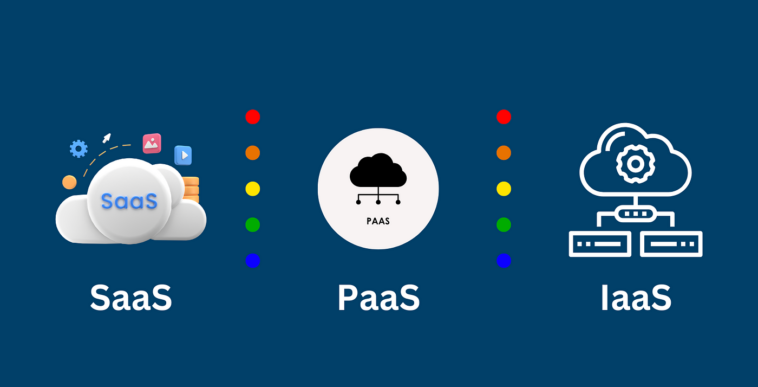
Example of IaaS PaaS and SaaS
Cloud computing has revolutionized the way businesses and individuals use technology. By providing on-demand access to computing resources over the internet, cloud computing eliminates the need for owning and maintaining physical servers and software. There are three main models of cloud computing services: Infrastructure as a Service (IaaS), Platform as a Service (PaaS), and Software as a Service (SaaS). Each model serves different purposes and provides varying levels of control, flexibility, and management. In this article, we will explore these cloud computing models in detail, provide practical examples of each, and explain their benefits and use cases.
Example of IaaS PaaS and SaaS
Example of IaaS PaaS and SaaS
1. Infrastructure as a Service (IaaS)
Definition
Infrastructure as a Service (IaaS) is a cloud computing model that provides virtualized computing resources over the internet. With IaaS, businesses can rent servers, storage, networking, and other infrastructure components without investing in physical hardware. Users maintain control over operating systems, applications, and storage, while the cloud provider manages the underlying physical infrastructure.
Key Features of IaaS
Virtual Machines (VMs): Users can create and manage virtual servers to run applications.
Scalability: Resources can be scaled up or down based on demand.
Cost-Efficiency: Pay-as-you-go pricing avoids upfront hardware costs.
Flexibility: Users can customize the infrastructure according to their requirements.
Example of IaaS PaaS and SaaS
Examples of IaaS
Amazon Web Services (AWS) EC2: AWS Elastic Compute Cloud (EC2) allows users to launch virtual servers, configure networking, and manage storage. It is widely used for hosting websites, applications, and big data processing.
Microsoft Azure Virtual Machines: Provides on-demand VMs for Windows and Linux, suitable for enterprise applications and testing environments.
Google Cloud Compute Engine: Offers scalable VMs with flexible configurations for development, machine learning, and data analytics.
Example of IaaS PaaS and SaaS
Use Cases
Hosting websites and web applications
Development and testing environments
Backup and disaster recovery
Big data processing and analytics
Example of IaaS PaaS and SaaS
2. Platform as a Service (PaaS)
Definition
Platform as a Service (PaaS) is a cloud computing model that provides a complete platform for building, testing, deploying, and managing applications. PaaS abstracts away the infrastructure layer, allowing developers to focus solely on application logic and development without worrying about server maintenance, storage, or networking.
Key Features of PaaS
Development Frameworks: Provides ready-to-use development tools and environments.
Automatic Scaling: Applications can automatically scale based on user demand.
Database Management: Built-in database services eliminate the need for manual setup.
Integrated Middleware: Includes software components for security, messaging, and APIs.
Example of IaaS PaaS and SaaS
Examples of PaaS
Heroku: A popular platform that allows developers to deploy applications in various programming languages like Ruby, Python, and Node.js without managing servers.
Google App Engine: A fully managed platform for building scalable web and mobile applications with built-in load balancing.
Microsoft Azure App Service: Enables the deployment of web apps, RESTful APIs, and mobile backends with integrated CI/CD pipelines.
Use Cases
Rapid application development
API and microservices deployment
Mobile and web application hosting
Continuous integration and continuous deployment (CI/CD)
Example of IaaS PaaS and SaaS
3. Software as a Service (SaaS)
Definition
Software as a Service (SaaS) is a cloud computing model where applications are delivered over the internet on a subscription basis. Users can access software via a web browser without installing it on their devices. The cloud provider manages everything, including servers, storage, security, and updates.
Key Features of SaaS
Accessibility: Accessible from any device with an internet connection.
Automatic Updates: Users always have the latest version without manual updates.
Multi-Tenancy: A single instance of software serves multiple users.
Subscription-Based Pricing: Flexible pricing models reduce upfront costs.
Examples of SaaS
Google Workspace (formerly G Suite): Includes Gmail, Google Docs, Google Sheets, and Google Drive, allowing teams to collaborate in real-time.
Salesforce: A leading CRM platform that helps businesses manage sales, customer service, and marketing.
Zoom: Video conferencing software widely used for meetings, webinars, and online training.
Use Cases
Business productivity tools
Customer relationship management (CRM)
Collaboration and communication platforms
Enterprise resource planning (ERP)
Example of IaaS PaaS and SaaS
Comparing IaaS, PaaS, and SaaS
| Feature | IaaS | PaaS | SaaS |
|---|---|---|---|
| Control | High (infrastructure and OS) | Medium (application environment) | Low (only software interface) |
| Management | Cloud provider manages hardware | Cloud provider manages OS and runtime | Cloud provider manages everything |
| Flexibility | High | Medium | Low |
| Users | IT admins, developers | Developers | End-users |
| Examples | AWS EC2, Azure VMs | Heroku, Google App Engine | Google Workspace, Salesforce |
Benefits of Using Cloud Computing Models
Cost Savings: Reduce capital expenditure on hardware and software.
Scalability: Adjust resources according to business needs.
Accessibility: Access applications and data from anywhere in the world.
Security: Cloud providers implement advanced security measures.
Innovation: Focus on developing applications and services rather than managing infrastructure.
Example of IaaS PaaS and SaaS
Choosing the Right Cloud Service Model
Choose IaaS if you need full control over the infrastructure and want to run custom applications or operating systems.
Choose PaaS if you are a developer and want to build applications quickly without managing servers.
Choose SaaS if you want ready-to-use applications for business productivity, CRM, or collaboration.
Example of IaaS PaaS and SaaS
Conclusion
Understanding the differences between IaaS, PaaS, and SaaS is essential for businesses and developers to leverage cloud computing effectively. Each model provides unique benefits and caters to different needs, from infrastructure control to ready-to-use applications. By selecting the appropriate cloud service model, organizations can optimize costs, enhance performance, and accelerate innovation.
Examples of IaaS, PaaS, and SaaS demonstrate the versatility of cloud computing and how it has transformed modern IT practices. Whether hosting virtual servers, building applications, or accessing software online, cloud computing has become an integral part of today’s digital landscape.
Example of IaaS PaaS and SaaS