Google Cloud Server: Architecture, Services, Features, and Real-World Applications
The way organizations deploy servers has changed dramatically over the past decade. Companies no longer need to purchase expensive physical machines, build server rooms, or maintain cooling systems and hardware engineers just to run applications or host websites. Instead, they can rent computing infrastructure instantly from the internet. One of the most powerful platforms enabling this transformation is Google Cloud Platform (GCP).
When people search for a Google cloud server, they are usually referring to the virtual servers provided by Google through its cloud computing infrastructure — primarily the service known as Google Compute Engine. These servers allow businesses, developers, and startups to run applications, store data, host websites, train artificial intelligence models, and build scalable services without owning any physical hardware.
Google Cloud servers are part of a broader ecosystem designed to deliver computing power as a utility, similar to electricity. You consume resources when needed, pay only for usage, and scale up or down within seconds.
Google Cloud Server
What Is a Google Cloud Server?
A Google cloud server is a virtual machine (VM) hosted inside Google’s global network of data centers. Instead of installing an operating system on a physical computer located in your office, you create a server through an online dashboard. Within minutes, you get full administrative access to a remote machine.
The virtual server behaves exactly like a real computer:
You can install software, configure databases, run scripts, host websites, and manage users.
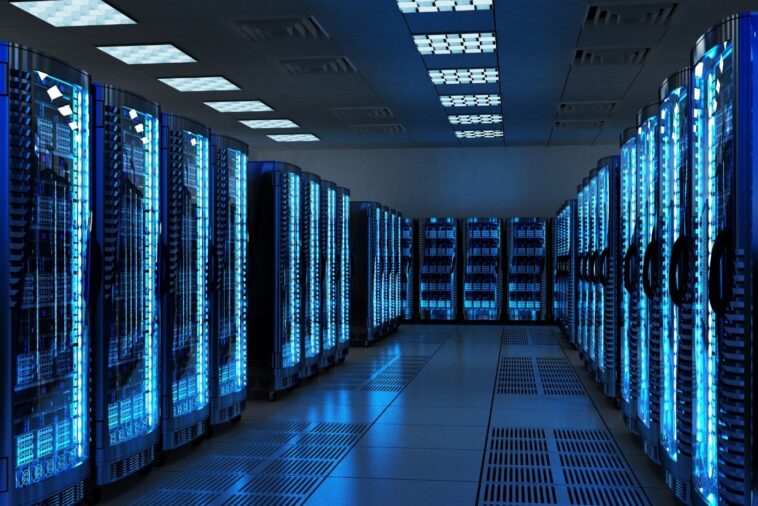
However, the physical machine running the server is located inside a highly secured Google data center. Multiple virtual machines share a powerful physical server through a technology called virtualization.
This means a startup in a small apartment can run the same level of computing infrastructure previously available only to large corporations.
The Infrastructure Behind Google Cloud
Google operates one of the largest private global networks in the world. The same infrastructure that powers services like:
Google Search
YouTube
Gmail
Google Maps
also powers Google Cloud servers.
This infrastructure includes:
Global Regions and Zones
Google divides the world into regions (geographical areas) and zones (separate data centers within a region). When creating a server, users select where it should run.
Why this matters:
Lower latency for nearby users
Redundancy in case of hardware failure
Disaster recovery capability
For example, a company serving Middle Eastern customers can choose a region closer to them to improve website speed and responsiveness.
High-Speed Network Backbone
Unlike many cloud providers that rely partially on public internet infrastructure, Google uses its own fiber network. Data travels across private high-speed connections between data centers, improving performance and reliability.
Google Compute Engine (The Core Server Service)
The main service responsible for Google cloud servers is Compute Engine. It allows users to create and manage virtual machines with complete control.
When launching a VM, you choose:
Operating system (Linux, Windows)
CPU cores
RAM size
Storage type
Network configuration
In a few minutes, your server is ready.
Compute Engine supports different machine types to match different workloads.
Standard Machines
Balanced CPU and memory for general applications like web hosting and databases.
High-Memory Machines
Designed for analytics, enterprise databases, and in-memory processing systems.
Compute-Optimized Machines
Ideal for high-performance computing, simulations, and gaming servers.
GPU Machines
Used for artificial intelligence, deep learning, and 3D rendering tasks.
Storage Options in Google Cloud Servers
A server is useless without storage. Google Cloud provides multiple storage systems optimized for different needs.
Persistent Disk
Attached to virtual machines and behaves like a traditional hard drive. It remains even if the VM is stopped or deleted.
Local SSD
High-speed temporary storage physically attached to the host server. Used for caching and real-time processing.
Cloud Storage (Object Storage)
Designed for large files such as videos, backups, and images. It is similar to an unlimited online hard drive accessible via internet.
Filestore
Managed file storage using network file systems for shared access between servers.
Each storage type balances performance, durability, and cost.
Networking and Security
One of the strongest features of Google Cloud servers is their advanced networking capabilities.
Instead of simple IP connections, GCP offers a software-defined network. Administrators can design private networks, subnets, routing rules, and firewalls.
Security layers include:
Identity and Access Management (IAM)
Firewall rules
DDoS protection
Encryption at rest and in transit
Private networking between services
Google automatically encrypts stored data and provides optional customer-managed encryption keys for higher compliance requirements.
Scalability and Auto-Scaling
Traditional servers must be purchased based on peak usage. For example, an e-commerce site expecting high traffic during holidays must buy expensive hardware that stays idle most of the year.
Google cloud servers solve this with auto-scaling.
Auto-scaling automatically increases or decreases the number of virtual machines based on demand. If traffic spikes, new servers launch instantly. When traffic drops, servers shut down to save cost.
This elasticity is one of the main reasons businesses migrate to the cloud.
Pricing Model
Google Cloud servers operate on a pay-as-you-go pricing model.
You are billed for:
CPU usage
RAM usage
Storage
Network traffic
Key cost features include:
Sustained Use Discounts
If a server runs for most of the month, Google automatically reduces the price without requiring a contract.
Preemptible VMs
Very low-cost servers available for temporary workloads such as batch processing and testing.
Committed Use Contracts
Lower pricing for long-term usage commitments.
This flexibility allows small businesses to start with minimal cost and grow gradually.
Real-World Use Cases
Google cloud servers are used across multiple industries.
Website Hosting
Companies host websites and web applications without maintaining physical servers.
Mobile App Backends
Applications connect to APIs running on Compute Engine servers to manage users and data.
Artificial Intelligence
Machine learning models train on GPU-enabled instances.
Game Servers
Online multiplayer games run on scalable infrastructure.
Data Analytics
Organizations process large datasets using cloud computing clusters.
Media Streaming
Video processing and content delivery operate using distributed servers across regions.
Integration with Other Google Cloud Services
Google cloud servers rarely work alone. They integrate with a wide ecosystem:
Cloud SQL (managed databases)
BigQuery (data warehouse)
Kubernetes Engine (container orchestration)
Cloud Functions (serverless computing)
AI Platform (machine learning tools)
This allows developers to build full applications without managing every infrastructure component manually.
Advantages of Google Cloud Servers
Reliability
Google provides high availability backed by multiple redundant data centers.
Performance
Fast global network and SSD-based storage improve application speed.
Flexibility
Servers can be resized, stopped, cloned, or deleted instantly.
Automation
APIs allow full infrastructure automation using scripts.
Global Reach
Applications can be deployed worldwide without physical presence.
Challenges and Considerations
Despite its strengths, Google Cloud servers require planning.
Network latency may affect performance if the region is far from users. Cost management is also important because improper configuration can increase bills. Additionally, beginners must learn cloud networking, permissions, and system administration concepts.
Cloud servers shift complexity from hardware management to configuration management.
Google Cloud vs Traditional Servers
| Feature | Traditional Server | Google Cloud Server |
|---|---|---|
| Setup Time | Weeks | Minutes |
| Cost | Large upfront investment | Pay as you use |
| Scalability | Limited | Virtually unlimited |
| Maintenance | Manual | Managed infrastructure |
| Reliability | Single location risk | Multi-region redundancy |
| Accessibility | Office dependent | Accessible anywhere |
The Future of Cloud Servers
Cloud computing is evolving toward automation and serverless technology. In the future, users may not even manage virtual machines directly. Instead, applications will automatically request computing resources when needed.
Google is already moving in this direction with:
Serverless containers
Event-driven computing
AI-managed scaling
Edge computing
However, virtual machines will remain essential for custom software, enterprise systems, and legacy applications.
Conclusion
A Google cloud server is a virtual computing environment hosted on Google’s global infrastructure that provides on-demand processing power, storage, and networking. Through services like Compute Engine, organizations can deploy scalable applications without owning hardware.
Google Cloud combines virtualization, distributed networking, and automated management to create a flexible platform suitable for startups, enterprises, developers, and researchers alike. Its pay-as-you-go pricing, global availability, and integration with advanced technologies such as artificial intelligence make it one of the most powerful computing environments available today.
As businesses continue moving toward digital operations and remote services, cloud servers will replace traditional server rooms. In this new computing model, the server is no longer a physical machine in a building — it is a dynamic resource accessible from anywhere, and Google Cloud is one of the leading platforms shaping this future.