SaaS Environment Examples
Software as a Service (SaaS) has become one of the most dominant cloud computing models in today’s digital economy. From startups to global enterprises, organizations rely heavily on SaaS environments to deliver scalable, cost-effective, and user-friendly software solutions. Understanding SaaS environment examples helps businesses, developers, and decision-makers grasp how SaaS works in real life and how it supports different industries.
This comprehensive guide explains what a SaaS environment is, how it operates, its architecture, benefits, challenges, and provides real-world SaaS environment examples across various sectors—all optimized for SEO and written in clear, professional English.
What Is a SaaS Environment?
A SaaS environment is a cloud-based ecosystem where software applications are hosted, managed, and delivered to users over the internet. Instead of installing applications on local devices or servers, users access SaaS applications via a web browser or API.
The SaaS provider is responsible for:
Infrastructure management
Application maintenance and updates
Security and availability
Scalability and performance
Users simply log in and use the software without worrying about technical backend operations.
Key Characteristics of a SaaS Environment
Before exploring SaaS environment examples, it is important to understand the core characteristics that define SaaS platforms:
Multi-tenancy architecture
Subscription-based pricing
Automatic updates
Centralized data management
High availability and scalability
Internet-based access
These characteristics allow SaaS environments to serve millions of users efficiently.
How a SaaS Environment Works
A typical SaaS environment consists of the following layers:
Infrastructure Layer
Hosted on cloud platforms such as AWS, Microsoft Azure, or Google Cloud.Application Layer
The SaaS software itself, shared among multiple customers.Data Layer
Centralized databases storing user and application data.Security Layer
Authentication, authorization, encryption, and compliance controls.User Interface Layer
Web-based dashboards or mobile apps used by customers.
This layered design enables seamless scalability and continuous service delivery.
Popular SaaS Environment Examples in Real Life
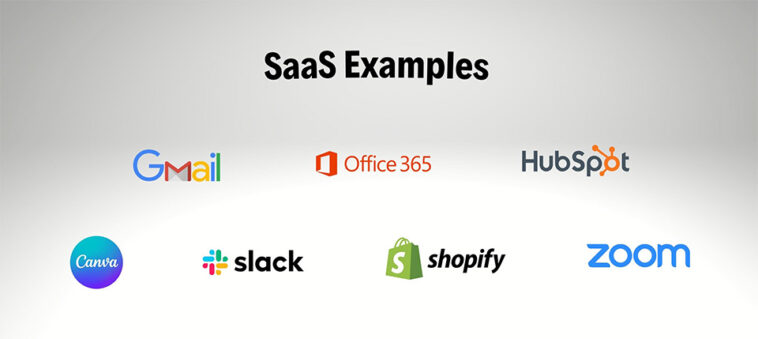
1. Google Workspace (Productivity SaaS Environment)
Google Workspace is a classic example of a SaaS environment used worldwide.
Key applications:
Gmail
Google Docs
Google Sheets
Google Drive
Google Meet
Why it’s a SaaS environment example:
Fully browser-based
No local installation
Automatic updates
Centralized cloud storage
Used by: Businesses, schools, freelancers, and governments.
2. Microsoft 365 (Enterprise SaaS Environment)
Microsoft 365 provides cloud-based productivity and collaboration tools.
Key features:
Word, Excel, PowerPoint (online)
Outlook
OneDrive
Microsoft Teams
SaaS environment benefits:
Enterprise-grade security
Integration with Azure Active Directory
Scalable licensing model
Used by: Enterprises, SMEs, and educational institutions.
3. Salesforce (CRM SaaS Environment)
Salesforce is one of the most powerful SaaS environment examples in customer relationship management (CRM).
Key services:
Sales Cloud
Service Cloud
Marketing Cloud
Analytics and AI tools
Why Salesforce is a strong SaaS example:
Multi-tenant architecture
Highly customizable dashboards
Cloud-native scalability
Used by: Sales teams, marketing agencies, and customer support centers.
4. Zoom (Communication SaaS Environment)
Zoom operates as a SaaS environment providing cloud-based video conferencing services.
Key features:
Video meetings
Webinars
Screen sharing
Cloud recording
SaaS environment highlights:
Accessible from any device
No complex setup
Continuous feature updates
Used by: Remote teams, schools, and global enterprises.
5. Dropbox (Cloud Storage SaaS Environment)
Dropbox offers a SaaS environment focused on file storage and collaboration.
Core functionalities:
Cloud file storage
File synchronization
Secure file sharing
Version control
Why it qualifies as SaaS:
Subscription-based access
Centralized cloud storage
Automatic syncing across devices
SaaS Environment Examples by Industry
SaaS Environment in Healthcare
Examples:
Electronic Health Records (EHR) systems
Telemedicine platforms
Appointment scheduling software
Benefits:
Secure patient data access
Regulatory compliance
Improved collaboration between healthcare providers
SaaS Environment in Education
Examples:
Learning Management Systems (LMS)
Online examination platforms
Virtual classrooms
Popular platforms:
Google Classroom
Moodle Cloud
Canvas LMS
SaaS Environment in Finance
Examples:
Accounting software
Expense tracking systems
Online payment platforms
Benefits:
Real-time financial reporting
Automated compliance
Secure transaction processing
SaaS Environment in E-Commerce
Examples:
Online store builders
Inventory management systems
Customer analytics platforms
Popular SaaS tools:
Shopify
BigCommerce
WooCommerce (hosted solutions)
Benefits of SaaS Environments
1. Cost Efficiency
No upfront infrastructure or hardware investment.
2. Scalability
Easily add or remove users and features.
3. Accessibility
Access software anytime, anywhere, from any device.
4. Automatic Updates
Always use the latest version without manual upgrades.
5. Faster Deployment
SaaS environments are ready to use immediately.
SaaS Environment Examples
Challenges of SaaS Environments
Despite their advantages, SaaS environments also face challenges:
Data privacy concerns
Vendor lock-in
Limited customization in some platforms
Dependence on internet connectivity
Compliance and regulatory risks
Organizations must evaluate these risks before adopting SaaS solutions.
SaaS vs PaaS vs IaaS Environments
| Feature | SaaS | PaaS | IaaS |
|---|---|---|---|
| User Control | Minimal | Moderate | High |
| Infrastructure Management | Provider | Provider | Customer |
| Use Case | End users | Developers | IT teams |
SaaS environments are ideal for users who want ready-to-use applications without technical complexity.
SaaS Environment Examples
Security in SaaS Environments
Modern SaaS environments implement strong security measures, including:
Data encryption at rest and in transit
Identity and Access Management (IAM)
Multi-factor authentication (MFA)
Regular security audits
Compliance with standards such as ISO, SOC, and GDPR
Security remains a shared responsibility between providers and users.
The Future of SaaS Environments
SaaS environments are rapidly evolving with emerging technologies such as:
Artificial Intelligence and Machine Learning
Automation and no-code platforms
Vertical SaaS (industry-specific solutions)
AI-powered analytics
Integration with IoT and edge computing
These trends will further expand the role of SaaS across industries.
SaaS Environment Examples
Conclusion
Understanding SaaS environment examples provides valuable insight into how modern software is delivered and consumed. From productivity tools like Google Workspace to enterprise platforms like Salesforce, SaaS environments power businesses, education, healthcare, and communication worldwide.
With benefits such as scalability, cost savings, and accessibility, SaaS environments continue to dominate the cloud computing landscape. Organizations that choose the right SaaS solutions can improve efficiency, reduce operational costs, and accelerate digital transformation.