VDI Architecture
Virtual Desktop Infrastructure (VDI) has become a cornerstone technology in modern enterprise IT, enabling organizations to deliver secure, centralized, and scalable virtual desktops to users across diverse environments. As remote work, cybersecurity demands, and digital transformation initiatives expand, understanding VDI architecture has become crucial for IT architects, CIOs, and systems engineers.
This article provides an in-depth academic exploration of VDI architecture, examining its core components, operational workflows, deployment models, security layers, scalability considerations, and best practices. The analysis aims to deliver a comprehensive and SEO-optimized foundation for readers seeking deep technical insight.
Introduction to VDI Architecture
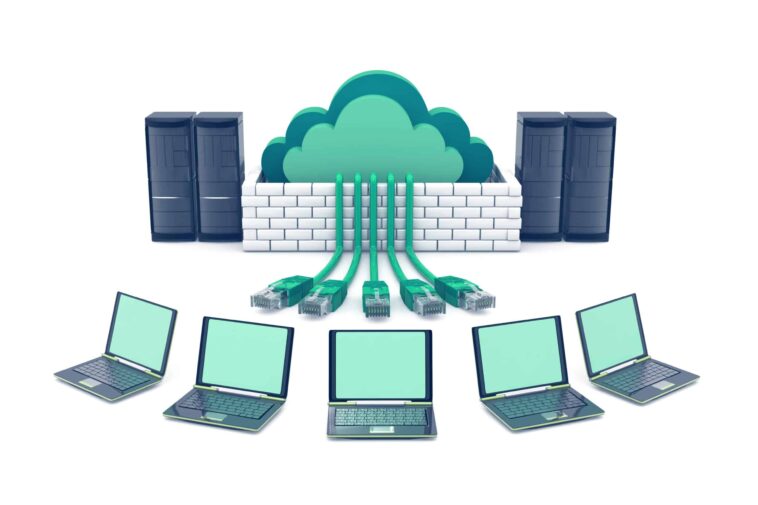
VDI architecture refers to the structural design and underlying infrastructure that enable the delivery of virtual desktops hosted on centralized servers. Instead of running the operating system (OS), applications, and data locally on a physical device, everything operates within a controlled data center or cloud environment. Users access their virtual desktops through remote display protocols from any endpoint—laptops, thin clients, tablets, or mobile devices.
The growing reliance on remote work and the need for centralized security make VDI an ideal solution for enterprises, healthcare institutions, financial organizations, and government agencies.
Core Objectives of VDI Architecture
VDI architecture is engineered to fulfill several strategic objectives:
Centralized management of desktop environments
Enhanced security through data isolation
Scalable resource provisioning
Consistent user experience across devices
Cost reduction through resource consolidation
Streamlined patching and updates
These objectives guide the design principles of modern VDI deployments.
Key Components of VDI Architecture
1 Hypervisor Layer
At the foundation of VDI architecture is the hypervisor, a virtualization platform responsible for creating and managing virtual machines (VMs). Popular hypervisors include:
VMware ESXi
Microsoft Hyper-V
Nutanix AHV
Citrix Hypervisor
The hypervisor abstracts physical hardware and allocates compute resources to individual desktop VMs.
2 Virtual Machines (VMs)
Each VM represents a desktop environment, typically running a Windows or Linux OS. VMs can be:
Persistent: Each user gets their own customized desktop image.
Non-persistent: Users access a generic desktop from a pool; changes are reset upon logout.
Non-persistent desktops are widely used for large-scale, standardized deployments.
3 Connection Broker
The connection broker is a critical component in VDI architecture. It:
Authenticates users
Determines which VM to assign
Manages session persistence
Balances load across available resources
Examples include:
VMware Horizon Connection Server
Citrix Delivery Controller
Microsoft Remote Desktop Connection Broker
4 Remote Display Protocol
The remote display protocol transmits keyboard, mouse, audio, and video between the endpoint and the VM. Examples:
VMware Blast Extreme
PCoIP
Microsoft RDP
Citrix HDX
This protocol strongly influences user experience, performance, and bandwidth consumption.
5 Storage Infrastructure
VDI architecture requires high-performance storage due to intensive I/O operations. Typical storage layers include:
SAN (Storage Area Network)
NAS (Network Attached Storage)
Hyper-converged infrastructure (HCI)
SSD/NVMe storage arrays
VDI performance depends heavily on storage throughput and latency.
6 User Profile Management
User data, settings, and configurations must be preserved across sessions—especially in non-persistent VDI. Tools include:
Microsoft FSLogix
Citrix Profile Management
VMware DEM (Dynamic Environment Manager)
These solutions separate user profiles from desktop images for consistency and performance.
7 Security Layers
Security is fundamental to VDI architecture. Key security components include:
Multi-factor authentication (MFA)
SSL/TLS encryption
Zero-trust access policies
Virtual firewalls
Network segmentation
By centralizing security controls, VDI dramatically reduces endpoint vulnerabilities.
VDI Architecture Workflow
A typical workflow in VDI architecture involves the following steps:
User Login
The user connects through a client application or browser.Authentication
The connection broker validates credentials via Active Directory or identity provider.Desktop Assignment
The broker selects a VM from the desktop pool.Session Initialization
The remote display protocol establishes communication between user and VM.Profile Loading
User profile data is attached to the desktop environment.Runtime Operation
Applications run on the VM; data stays in the data center.Session Termination
The VM either resets (non-persistent) or saves changes (persistent).
This process ensures a seamless and secure desktop delivery experience.
VDI Deployment Models
1 On-Premises VDI
Hosted entirely in a corporate data center.
Advantages:
Maximum control
Strong compliance alignment
Customizable architecture
Challenges:
High upfront investment
Requires skilled IT teams
2 Cloud-Based VDI
Delivered via public cloud platforms such as:
Azure Virtual Desktop
Amazon WorkSpaces
Google Cloud VDIs
Advantages:
On-demand scalability
Reduced hardware cost
Simplified global access
Challenges:
Ongoing subscription costs
Dependence on internet connectivity
3 Hybrid VDI
Combines on-premises infrastructure with cloud extensions.
Ideal for:
Seasonal workloads
Disaster recovery
Gradual cloud migration
Hybrid models are becoming increasingly popular in enterprise VDI architectures.
Security Architecture in VDI
Security is inherently strengthened in VDI architecture, but several layers work together:
1 Data Centralization
Data resides in the data center, not on endpoints—reducing breach risk.
2 Access Control
Identity governance
Role-based access
Least privilege configurations
3 Network Segmentation
VDI networks are often segmented into:
Client access layer
VM hosting layer
Management layer
4 Encryption
End-to-end encryption ensures secure transmission between user devices and VDI servers.
5 Endpoint Security
Since endpoints are not trusted, VDI uses:
Zero-trust policies
Device posture checks
Application sandboxing
These mechanisms protect enterprise resources from compromised devices.
Performance Optimization in VDI Architecture
Performance is a major consideration in designing an efficient VDI environment.
1 CPU and Memory Optimization
NUMA awareness
VM right-sizing
Reservation and limits tuning
2 Storage Optimization
Write-cache acceleration
Tiered storage
Deduplication and compression
3 Network Optimization
QoS policies
WAN acceleration
Adaptive protocol encoding
4 Image Optimization
Standardized base images reduce:
Resource consumption
Login times
Management complexity
Scalability Considerations
Scalability is essential for long-term VDI success.
1 Horizontal Scaling
Adding more hypervisor nodes to the cluster.
2 Vertical Scaling
Increasing CPU/memory resources per host.
3 Elastic Cloud Scaling
Cloud VDI dynamically adds capacity based on demand.
Efficient scaling requires careful load balancing, resource pooling, and capacity planning.
Benefits of VDI Architecture
Centralized management
Enhanced security and compliance
High availability and disaster recovery
Consistent cross-device experience
Lower endpoint maintenance cost
Support for remote and hybrid work
Challenges in VDI Architecture
Despite its advantages, VDI architecture has challenges:
High initial investment (in on-prem deployments)
Storage bottlenecks
Complex setup and maintenance
Dependency on network quality
Licensing complexities
Mitigating these challenges requires careful design and choosing the correct VDI model.
Best Practices for a Modern VDI Architecture
Use non-persistent desktops for scalability
Implement profile containers
Deploy GPU acceleration for graphics-intensive workloads
Use high-speed storage such as NVMe
Implement zero-trust security
Regularly optimize base images
Monitor with centralized analytics tools
Conclusion
VDI architecture is a powerful and transformative model for delivering secure, scalable, and centralized virtual desktops. With proper design—integrating hypervisors, storage systems, connection brokers, remote display protocols, and security frameworks—VDI can significantly enhance organizational efficiency and protect sensitive data. As remote work and cloud adoption accelerate, modern VDI solutions continue to evolve, offering flexible, high-performance environments suitable for enterprises of all sizes.
Understanding the full architecture is essential for IT leaders making long-term strategic decisions, ensuring that their VDI deployment is secure, optimized, and future-proof.