Cloud Computing for Small Business
Cloud computing for small business has become one of the most transformative technologies in today’s digital world. What was once limited to large enterprises with huge IT budgets is now accessible—even essential—for small and medium-sized businesses (SMBs). Cloud services offer affordability, scalability, security, and flexibility that traditional, on-premises infrastructure cannot match.
In this comprehensive guide, we explore what cloud computing is, how small businesses can benefit from it, what types of cloud services exist, the best use cases, challenges, and how to choose the right cloud solution.
Cloud Computing for Small Business
What Is Cloud Computing for Small Business?
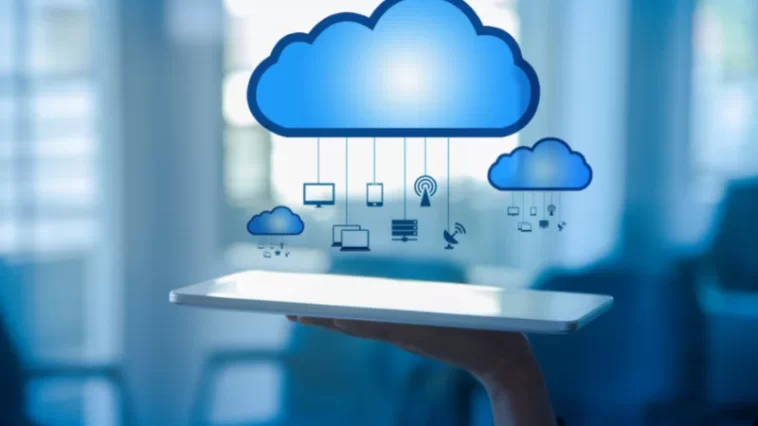
Cloud computing refers to delivering computing resources—such as servers, storage, databases, networking, applications, and analytics—over the internet. Instead of purchasing hardware or managing local servers, a small business can access these resources on-demand from a cloud provider.
For small businesses, cloud computing means:
Lower operational costs
Remote access to tools and data
High performance without large upfront investments
Access to enterprise-grade technologies
Cloud computing allows startups and small businesses to compete with larger organizations by enabling them to operate efficiently, securely, and at scale.
Cloud Computing for Small Business
Why Cloud Computing Matters for Small Businesses
Small businesses often face unique challenges: limited budgets, small IT teams, and the need to adapt quickly. Cloud computing addresses these challenges with a combination of cost-effective offerings and flexible service models.
1. Cost Efficiency
Instead of purchasing expensive hardware and software licenses, businesses pay only for what they use. This pay-as-you-go model reduces:
Capital expenditure (CapEx)
Costs of hardware maintenance
Costs of IT staffing
Energy and space needed for on-site servers
2. Scalability and Flexibility
A major advantage of cloud computing for small business is the ability to scale up or down instantly. Whether a company experiences seasonal demand, growth, or requires temporary expansion, cloud resources adjust automatically.
3. Remote Work Enablement
Cloud platforms support remote access to applications and data from any location. With remote work becoming a global standard, cloud-based solutions empower small businesses to remain productive and connected.
4. Enhanced Security
Leading cloud providers invest heavily in cybersecurity tools such as:
Encryption
Multi-factor authentication (MFA)
Automatic security updates
Threat monitoring
For small businesses without dedicated IT security teams, this level of protection is extremely valuable.
5. Faster Deployment
Applications and tools can be set up within minutes—not weeks—allowing small businesses to innovate quickly and respond rapidly to market changes.
Cloud Computing for Small Business
Types of Cloud Services for Small Business
Cloud computing services are commonly categorized into three primary models. Understanding them helps small businesses choose the right solution.
1. Infrastructure as a Service (IaaS)
IaaS provides virtualized computing resources over the internet, such as:
Virtual machines
Storage
Networking components
Best for small businesses that need:
Full control over their IT environment without owning hardware.
Examples:
Amazon EC2, Google Compute Engine, Microsoft Azure Virtual Machines.
2. Platform as a Service (PaaS)
PaaS provides a development platform for building, testing, and deploying applications.
Best for small businesses that:
Develop custom software but want to avoid managing servers.
Examples:
Google App Engine, AWS Elastic Beanstalk, Azure App Service.
3. Software as a Service (SaaS)
SaaS offers cloud-hosted applications accessible through a browser or app. Small businesses use SaaS daily for:
Email
Accounting
Customer relationship management (CRM)
Project management
Examples:
Google Workspace, Microsoft 365, QuickBooks Online, Salesforce.
Cloud Computing for Small Business
Which Cloud Model Is Best for Small Businesses?
For most small businesses, SaaS is the primary entry point because it is easy to use, affordable, and requires no IT expertise. However, businesses with custom applications may benefit from PaaS or IaaS.
A combination of all three models is also common, depending on needs and growth.
Cloud Computing for Small Business
Key Use Cases of Cloud Computing for Small Business
1. Data Storage and Backup
Cloud storage eliminates the risk of losing data due to hardware failure. Automatic backups ensure business continuity.
2. Email and Collaboration Tools
Cloud-based tools like Google Workspace and Microsoft 365 provide secure email, shared documents, calendars, and communication tools.
3. Website Hosting
Small businesses can host their websites, e-commerce stores, or web applications on cloud servers with greater reliability and performance.
4. CRM and Sales Management
SaaS CRM systems help small businesses track leads, automate sales, and improve customer engagement.
5. Accounting and Finance Software
Cloud-based accounting tools simplify bookkeeping, invoicing, tax preparation, and financial reporting.
6. Inventory and Supply Chain Management
Retail and e-commerce businesses can manage inventory in real time with cloud-based systems.
7. Cybersecurity Solutions
Many cloud providers offer built-in security tools, making it easier for small businesses to protect their systems.
Cloud Computing for Small Business
Benefits of Cloud Computing for Small Business
Here are the most important advantages with SEO-friendly depth:
1. Lower Total Cost of Ownership (TCO)
Cloud computing reduces costs associated with:
Hardware purchases
IT personnel
Software upgrades
Server maintenance
2. Business Continuity and Disaster Recovery
Cloud systems include global redundancy, meaning business operations remain unaffected even if one data center fails.
3. Faster Time to Market
Small businesses can launch new services or products rapidly with cloud infrastructure.
4. Improved Collaboration
Employees can access files and applications from any device, enabling seamless teamwork.
5. Automatic Updates
Cloud services update themselves, reducing the burden on small IT teams.
6. High Availability
Cloud platforms offer 99.9% uptime or more, ensuring systems are accessible at all times.
Cloud Computing for Small Business
Challenges Small Businesses Should Consider
While cloud computing offers major advantages, small businesses must understand potential challenges:
1. Data Privacy Concerns
Businesses need to ensure compliance with regulations such as GDPR or HIPAA.
2. Dependence on Internet Connectivity
Cloud services require a stable connection; downtime affects productivity.
3. Vendor Lock-In
Migrating from one cloud provider to another may be costly or complex.
4. Hidden Costs
Overuse of resources (e.g., data transfer or storage) may lead to unexpected charges.
These concerns can be mitigated with proper planning, monitoring, and cloud cost management tools.
Cloud Computing for Small Business
How to Choose the Best Cloud Computing Solution for Your Small Business
Choosing the right provider is essential. Here are factors to consider:
1. Business Needs and Use Cases
Identify whether your primary need is storage, hosting, collaboration, development, or security.
2. Provider Reliability
Evaluate:
Uptime guarantees
Global infrastructure
Customer support
3. Security Features
Check for:
Data encryption
Identity access management
Compliance certifications
4. Pricing Structure
Choose providers with clear pricing and no hidden fees. Many offer free tiers.
5. Ease of Use
For small businesses without technical expertise, an intuitive interface is crucial.
6. Integration with Existing Tools
Ensure the cloud solution integrates seamlessly with tools you already use.
Top Cloud Providers for Small Business
Here are the most recommended platforms:
1. Amazon Web Services (AWS)
Best for scalability and variety of services.
2. Google Cloud Platform (GCP)
Ideal for analytics, AI, and affordable pricing.
3. Microsoft Azure
Great for businesses using Microsoft 365 or Windows-based applications.
4. DigitalOcean
Simple and cost-effective for small developers and startups.
5. Bluehost / SiteGround Cloud
Perfect for small businesses needing website and e-commerce hosting.
Future of Cloud Computing for Small Business
In 2025 and beyond, cloud technologies will emphasize:
Serverless computing
Edge computing
AI-powered cloud tools
Automated cybersecurity
Green and energy-efficient cloud infrastructure
Small businesses that adopt cloud early will gain competitive advantages, reduce costs, and improve digital resilience.
Cloud Computing for Small Business
Conclusion
Cloud computing for small business is no longer optional—it’s a strategic necessity. Whether a business needs simple email hosting or complex data processing tools, the cloud offers secure, scalable, and affordable solutions that empower growth. With the right provider and strategy, small businesses can leverage cloud computing to streamline operations, improve productivity, and compete in the global marketplace.