PaaS in Cloud Computing
Cloud computing has transformed the way businesses build, deploy, and manage applications. Instead of purchasing and maintaining physical hardware and complex software stacks, organizations can now rely on cloud service models that provide ready-to-use resources over the internet. One of the most important of these models is Platform as a Service (PaaS).
PaaS plays a central role in modern software development by giving developers a complete environment to build applications without worrying about infrastructure management. In this in-depth guide, we will explore what Platform as a Service is, how it works, its benefits, challenges, use cases, and how it compares with other cloud service models.
Platform as a Service in Cloud Computing
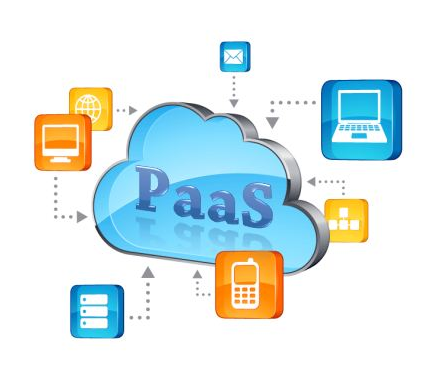
It is Cloud service model: The platform as a service is the provision of the necessary infrastructure with the installation of an operating environment and an integrated operating system and presenting it as a service to customers so that they can install their applications and programs in a work environment suitable for this software. The benefit of this system is that the user does not have to install an operating system or operating environment for the programs that he wants to work on or buy resources very quickly to run a large application on them.
How Platform as a Service Works
Platform as a Service providers host the underlying infrastructure in their data centers and deliver the platform through web-based interfaces, command-line tools, or APIs.
Behind the Scenes
When a developer uses a Platform as a Service solution:
The cloud provider manages physical servers and networking
Virtual machines or containers run the application environment
The operating system and middleware are pre-configured
Developers upload their code
The platform automatically handles deployment and scaling
This removes the need for manual server configuration and system updates.
How to subscribe to the PaaS service
You can enter the websites of the cloud service providers, search for hosting for the platform as a service, review the service details and the available offers, and choose what suits your needs, and the PaaS service is provided through any public, private, or hybrid cloud deployment model.
Payment is based on usage, and some cloud service providers charge a fixed monthly fee to obtain this service, regardless of the volume of usage.
Core Components of Platform as a Service
A PaaS environment includes several layers that support application development.
1. Infrastructure
Although users don’t manage it directly, Platform as a Service still relies on servers, storage, and networking in the background.
2. Operating System
The platform includes a managed operating system where applications run.
3. Middleware
Middleware connects applications with databases, messaging systems, and other services.
4. Development Tools
PaaS often includes built-in tools such as:
Code editors
Version control integration
Testing frameworks
Debugging tools
5. Database Management Systems
Many PaaS providers offer integrated databases that can be easily connected to applications.
6. Runtime Environment
The runtime environment supports programming languages like Java, Python, Node.js, .NET, and others.
Key Characteristics of PaaS
PaaS solutions share several defining features:
Self-service access for developers
Scalability without manual configuration
Multi-tenant architecture (shared infrastructure)
Built-in security features
Automated updates and patching
Support for multiple programming languages
These features make PaaS especially attractive for agile and DevOps teams
Services provided in the PaaS service model
In addition to providing the infrastructure, the basic system, and the operational environment to work on, it provides a variety of services such as:
- Application design and development
- Screening and publishing applications
- Providing development service
- Provide data and information security
- Providing an integrated database
Benefits of Platform as a Service
1. Faster Application Development
Developers don’t need to set up servers or install software stacks. They can start coding immediately, reducing development time.
2. Reduced Complexity
Infrastructure management is handled by the cloud provider, which simplifies operations.
3. Cost Efficiency
Organizations avoid buying hardware and only pay for the resources they use.
4. Scalability
Applications can automatically scale up or down based on demand without manual intervention.
5. Built-in Collaboration
Many PaaS platforms integrate with development tools that allow teams to collaborate in real time.
6. Automatic Maintenance
The provider handles operating system updates, security patches, and system upgrades.
Common Use Cases for PaaS
Web Application Development
PaaS is widely used to build and host websites and web applications without managing web servers manually.
Mobile Application Backends
Developers use PaaS to create backends for mobile apps, including user authentication, databases, and APIs.
API Development
PaaS makes it easy to develop, deploy, and manage APIs that connect different applications and services.
DevOps and Continuous Integration
PaaS platforms often integrate with CI/CD pipelines, enabling automated testing and deployment.
Data Analytics Applications
Some PaaS offerings include tools for processing and analyzing large datasets.
Examples of Popular PaaS Providers
Several major cloud providers offer Platform as a Service solutions.
Microsoft Azure App Service
Supports multiple languages and frameworks, allowing developers to build web apps, APIs, and mobile backends.
Google App Engine
A fully managed PaaS for building scalable web applications with automatic load balancing.
AWS Elastic Beanstalk
Simplifies application deployment by automatically handling capacity provisioning and monitoring.
Heroku
A developer-friendly PaaS known for simplicity and support for many programming languages.
Red Hat OpenShift
A Kubernetes-based PaaS platform designed for enterprise containerized applications.
PaaS vs IaaS vs SaaS
To understand PaaS better, it helps to compare it with other cloud service models.
| Feature | IaaS | PaaS | SaaS |
|---|---|---|---|
| User Manages | OS, apps, data | Apps and data | Only data |
| Provider Manages | Hardware, networking | Infrastructure + platform | Everything |
| Flexibility | High | Medium | Low |
| Target Users | IT admins | Developers | End users |
Platform as a Service sits in the middle, giving developers control over applications without managing infrastructure.
Pros of the platform as a service
- Ease and flexibility in dealing, all that the customer needs is a web browser to access the service’s cloud hosting and install whatever programs or applications he wants and start using them, and this saves organizations from operating and maintenance costs for the IT department’s infrastructure
- Easy to use and pay-to-use, Platform as a Service is a cost-effective and efficient service for businesses.
- It is very useful for software development as it is specifically aimed at the development service and provides all the necessary tools for that, including computing infrastructure and cloud storage, text-editing services, and all tools that help developers develop new programs quickly and more efficiently. It also allows the developer team to work on the same project from wherever they are, which facilitates cooperation in completing the work
- Integrated management of resources by the cloud service provider and distributing them according to the user’s need.
Challenges of Platform as a Service
Despite its advantages, Platform as a Service also has limitations.
Vendor Lock-In
Applications may depend on a specific provider’s tools, making migration difficult.
Limited Customization
Some platforms restrict access to underlying systems, which can limit advanced configurations.
Security Concerns
Although providers offer strong security, organizations must still protect their applications and data.
Compliance Issues
Industries with strict regulations may need additional controls that are not fully supported by standard PaaS offerings.
Security in PaaS Environments
Security in Platform as a Service is a shared responsibility.
Provider Responsibilities
Securing infrastructure
Patching operating systems
Protecting physical data centers
Customer Responsibilities
Writing secure code
Managing user access
Encrypting sensitive data
Configuring firewalls and permissions
Understanding this shared model is critical for safe cloud usage.
PaaS and Modern Development Practices
Platform as a Service aligns well with modern software development approaches.
Agile Development
Rapid deployment and easy updates support fast iteration cycles.
DevOps
Integration with CI/CD pipelines allows automated testing and deployment.
Microservices Architecture
PaaS platforms often support containerization and microservices, enabling scalable and modular application design.
The Role of Containers in Platform as a Service
Many modern PaaS platforms are built on container technologies like Docker and Kubernetes. Containers package applications and their dependencies together, ensuring consistency across environments.
This allows developers to:
Deploy applications quickly
Avoid compatibility issues
Scale services independently
Container-based PaaS platforms provide more flexibility than traditional Platform as a Service solutions.
When Should a Business Choose PaaS?
Platform as a Service is ideal when:
Rapid development is a priority
Infrastructure management resources are limited
Applications need to scale dynamically
Development teams want standardized environments
Startups need to launch products quickly
However, businesses requiring deep infrastructure control may prefer IaaS instead.
Future Trends in Platform as a Service
PaaS continues to evolve alongside cloud computing.
AI and Machine Learning Integration
Many platforms now offer built-in AI services that developers can easily integrate.
Serverless Computing
Some PaaS features are merging with serverless models, where code runs without managing servers at all.
Multi-Cloud Support
Organizations are using multiple cloud providers, and PaaS platforms are adapting to support cross-cloud deployments.
Enhanced Developer Experience
Future platforms will focus on simplifying workflows with automation and intelligent tools.
Conclusion
Platform as a Service is a powerful cloud computing model that simplifies application development by removing the burden of infrastructure management. It provides developers with ready-to-use tools, environments, and services that accelerate innovation and reduce costs.
By offering scalability, automation, and built-in development support, PaaS enables businesses to build modern applications faster and more efficiently. While it does come with challenges such as vendor lock-in and limited customization, its benefits often outweigh the drawbacks for many organizations.
As cloud technology continues to advance, PaaS will remain a critical foundation for digital transformation, helping developers turn ideas into scalable applications with greater speed and flexibility than ever before.